

PaymentResult.
There is no browser tab, no redirect, and no URL scheme. The camera scanner,
slide-to-pay physics, quote refresh, retries, and status polling are all inside
the sheet.
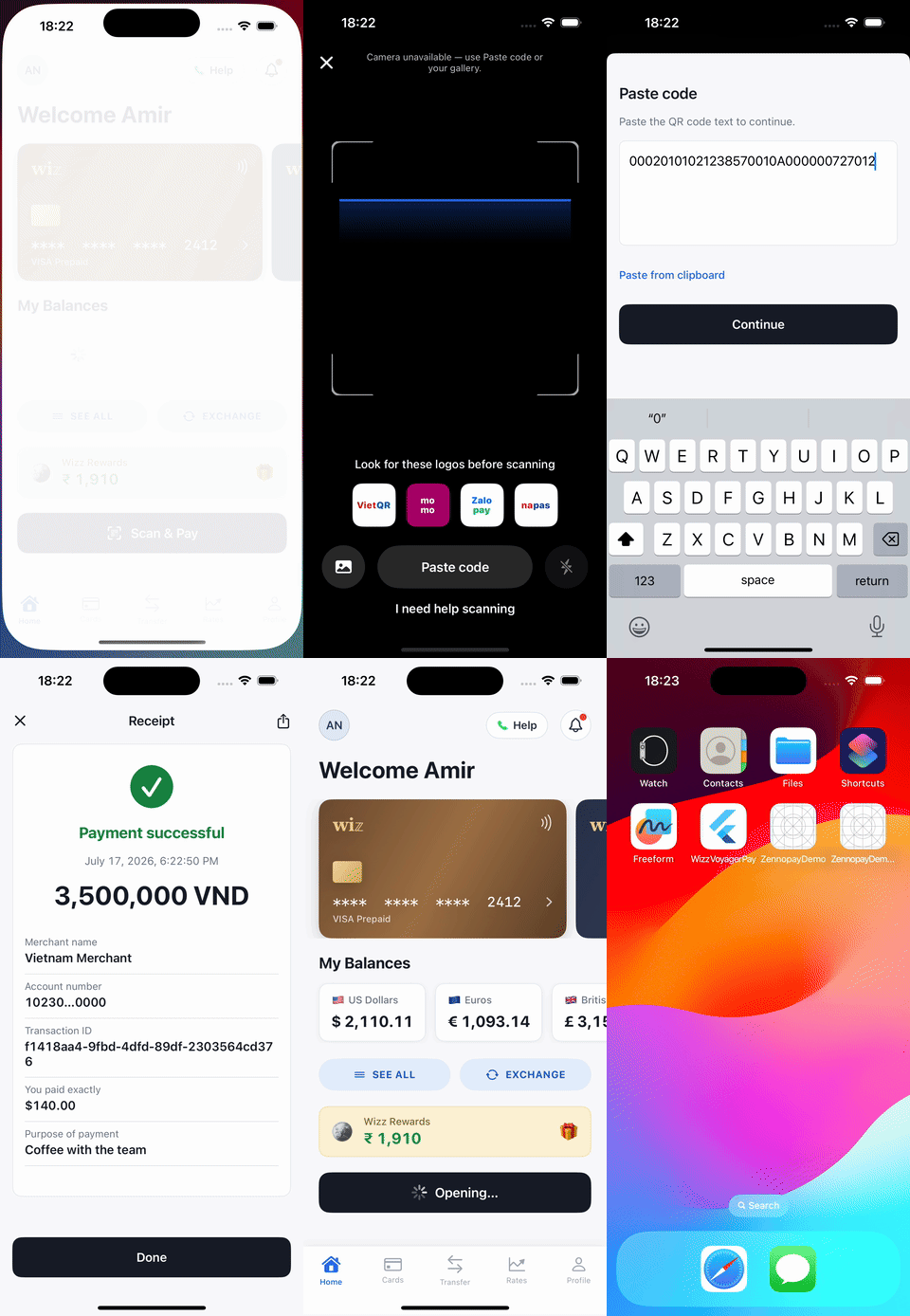
One payment, end to end, in the sample wallet app — all rendered by the SDK.
The flow, screen by screen
These are real captures from the sample wallet app paying a VietQR merchant in the sandbox.Your app: the user taps Scan & Pay
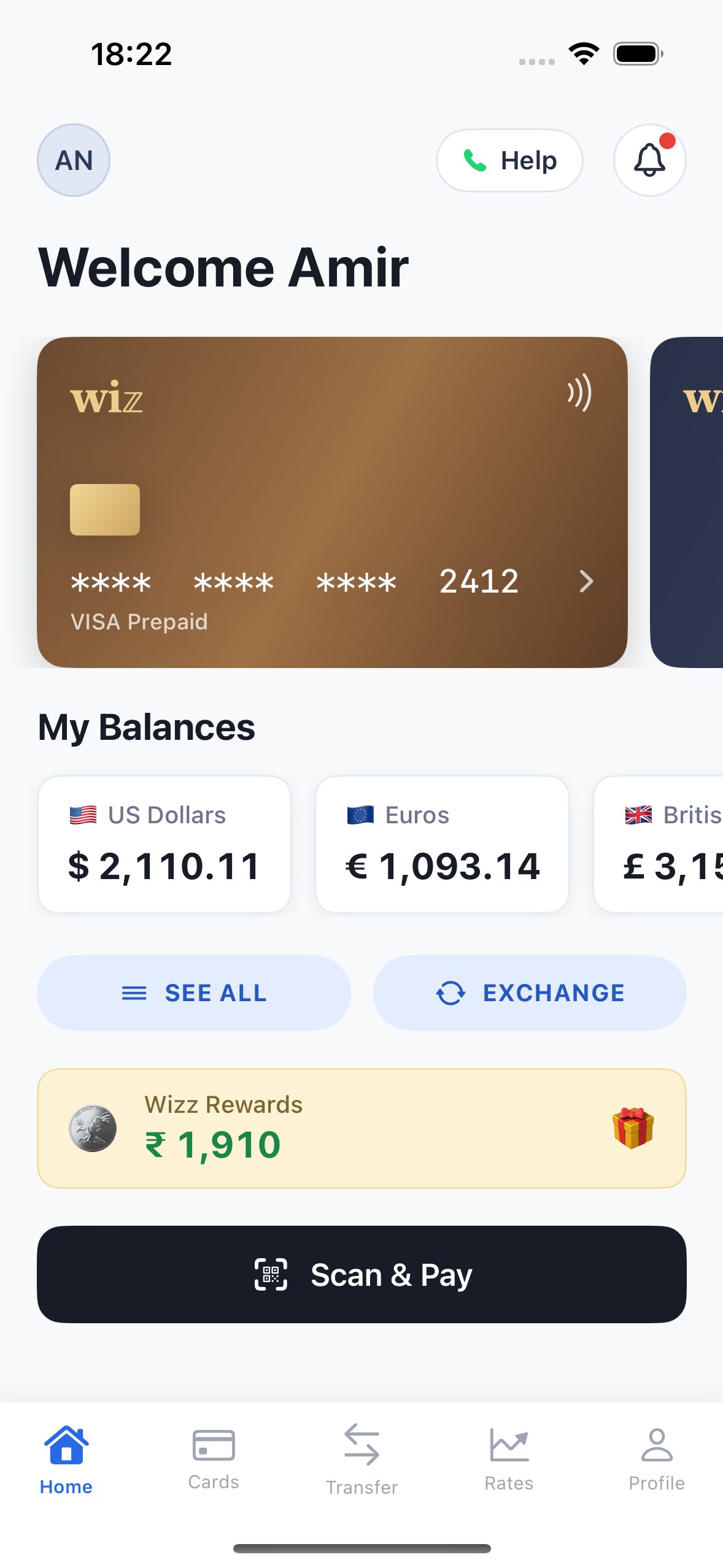
The partner app owns everything up to this point — wallet, balance, entry point.
PaymentSheet: scan the merchant QR
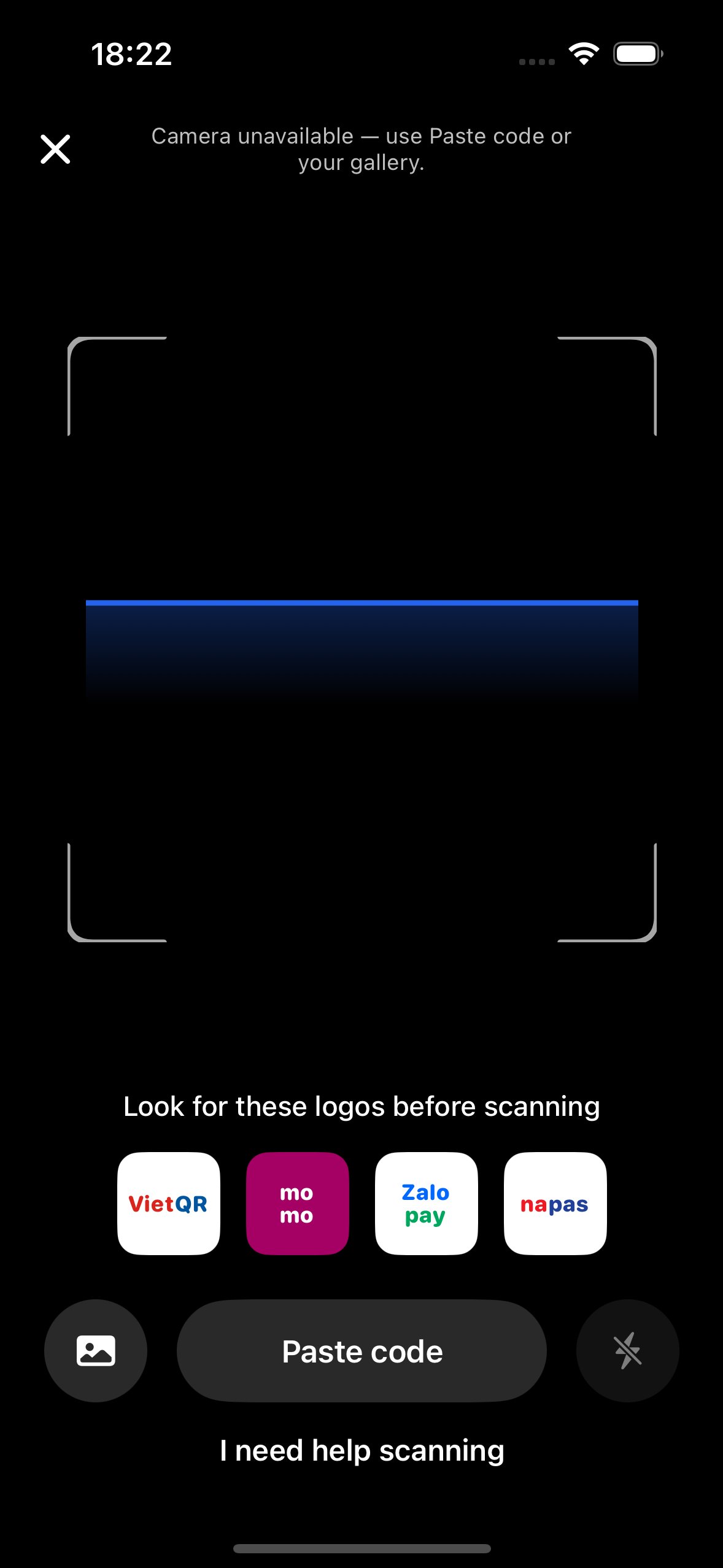
Native camera scanner with torch, gallery, and paste-QR fallbacks. The raw payload is validated server-side.
PaymentSheet: amount + FX quote
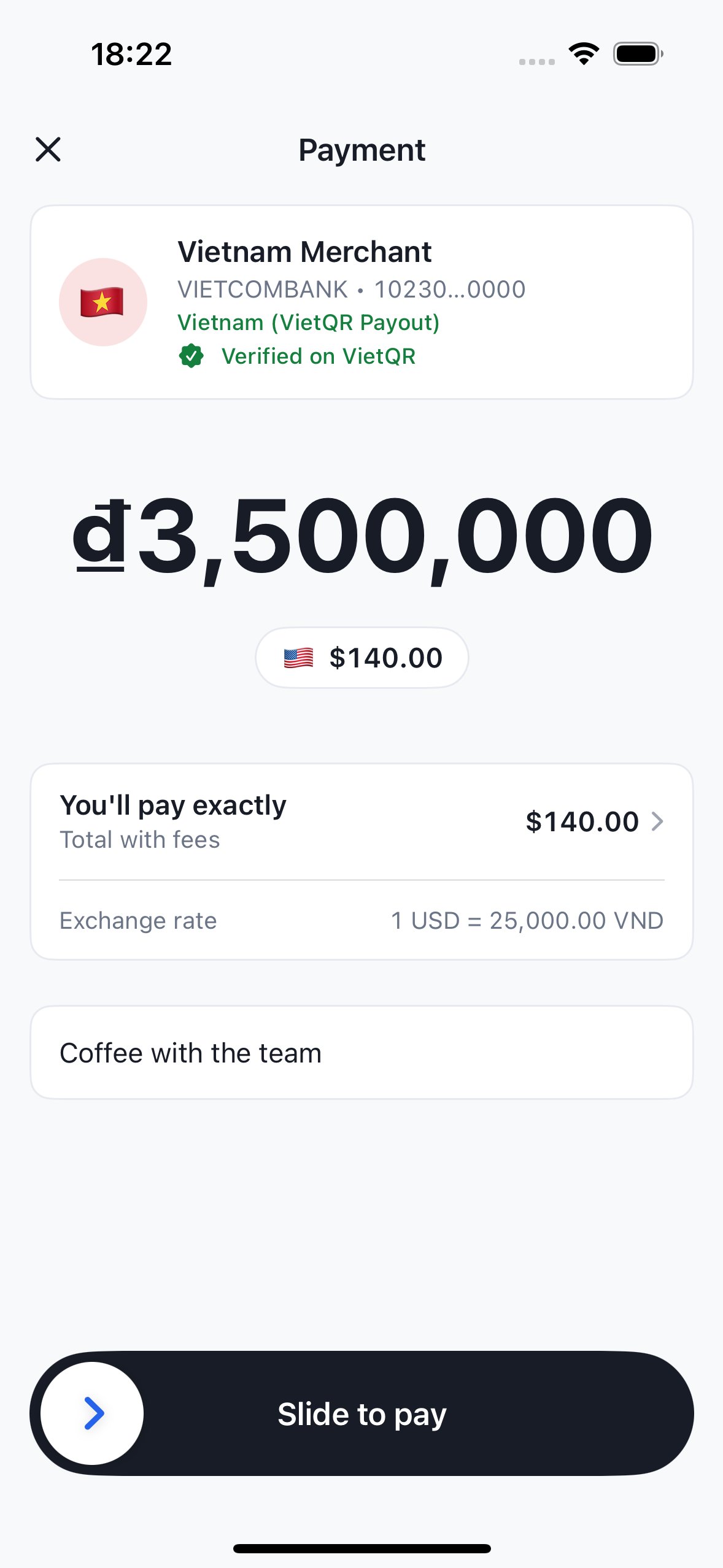
₫3,500,000 to the merchant, $140.00 from the user's wallet. Quotes refresh silently on expiry.
PaymentSheet: slide to pay → result
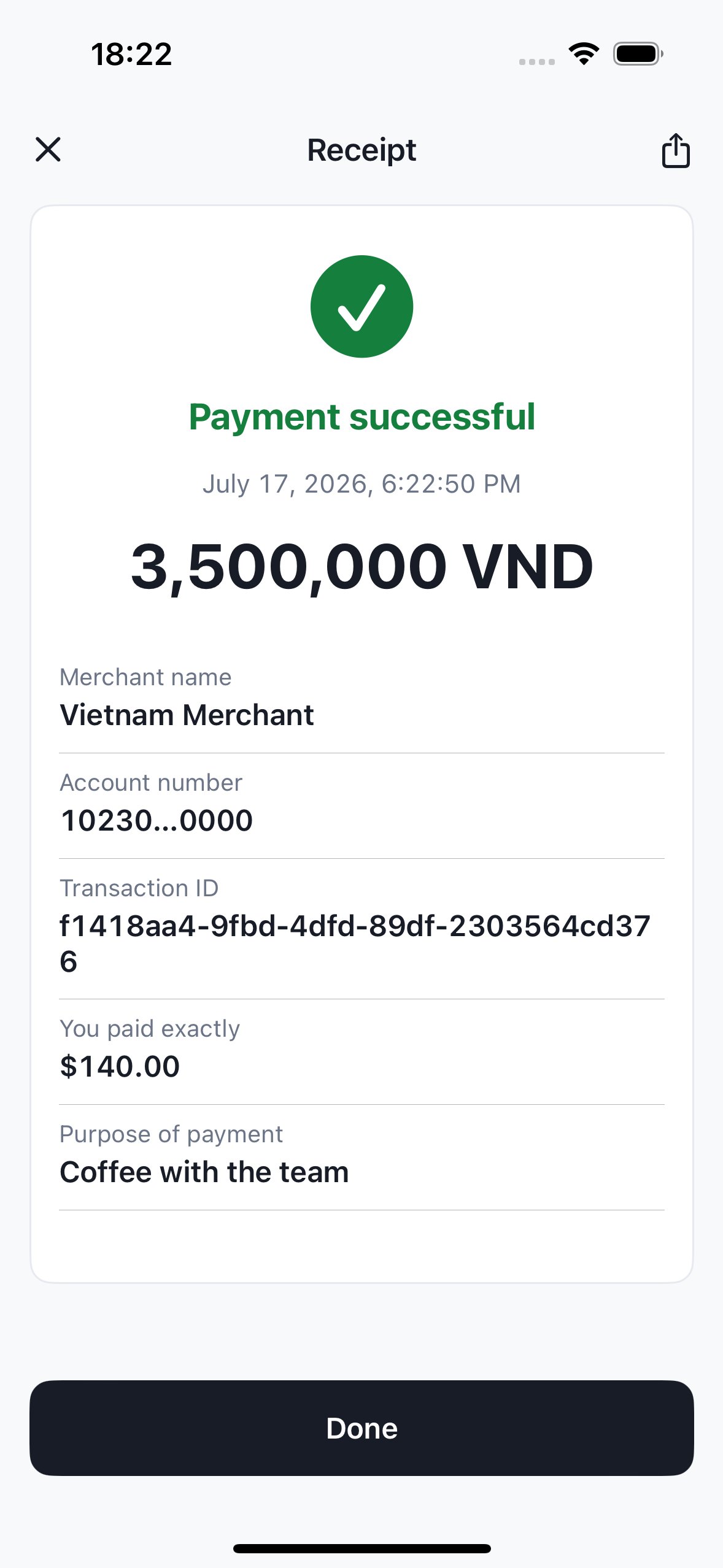
Slide-to-pay fires the confirm exactly once; the sheet polls to a terminal state and shows a shareable receipt.
Your app: back in control
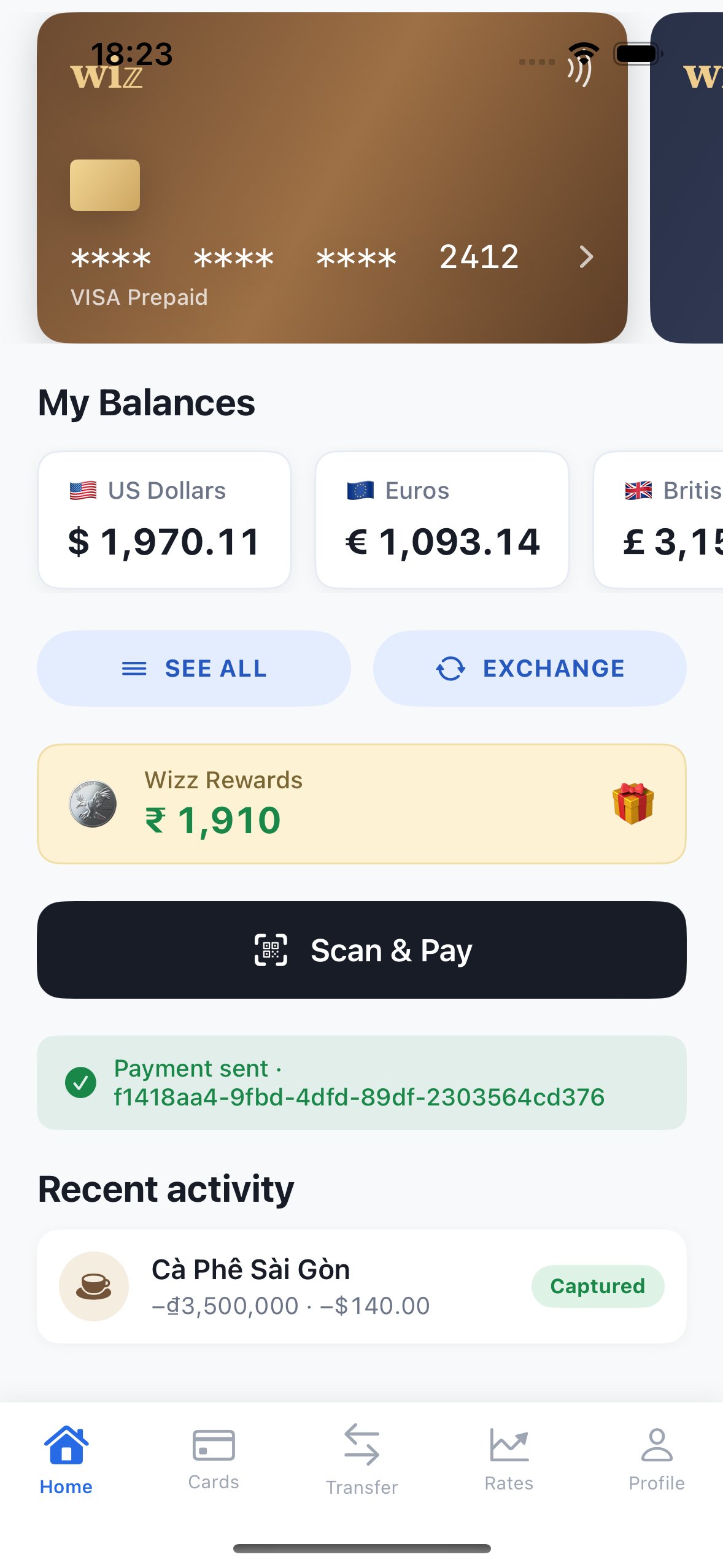
The sheet dismisses and your onResult callback fires. Refresh the wallet and activity from your backend.
Handle results in your app
UsePaymentResult to update the screen, then refresh wallet and transaction
state from your backend. Post accounting changes from verified server-side
state. A client callback can be missed when the app closes and must not trigger
a second wallet debit.
pending means delivery is unresolved when the sheet closes. Keep tracking
the existing intent through webhooks or a
status read.
Pick your platform
present call in, one PaymentResult
out — completed / canceled / failed / pending (delivered when the user
leaves while merchant delivery is still processing, or when polling times out; the
payment resolves asynchronously). Keep it pending until your backend verifies
the final payment state.
How it works
Per payment, your backend makes one HMAC-signed call — it creates the intent (passing the user’s KYC + sanctions attestations) — and Zennopay returns a short-lived session token bound to that intent. Your app passes the intent ID and token to the SDK; the SDK talks to the Zennopay API directly with the session token asAuthorization: Bearer.
Your backend creates checkout sessions, refreshes expired tokens, and
reconciles wallet and payment state from signed webhooks or API reads. Start
with the Node.js integration example in Build your session endpoint.
What you don’t build
The SDK owns the entire payment surface, so you never build:- A QR scanner — camera capture, torch, gallery import, and a paste-QR fallback (which also makes the flow testable on simulators).
- EMVCo parsing — the raw payload is validated authoritatively server-side (CRC, tags, merchant extraction). See Corridors for scheme and execution availability.
- FX quoting UI — the sheet shows the bound local amount and the exact USD wallet debit, and silently re-quotes when a quote expires.
- A confirm surface — slide-to-pay fires the confirm exactly once, with an idempotency key persisted before the network call.
-
Status polling, retries, and recovery — including re-minting an expired
session via your
refreshSessionhook and recovering the true terminal state after a process death mid-confirm. Slow delivery gets a processing state with honest copy, a “taking longer than usual” escalation, and apendingresult if the user leaves early: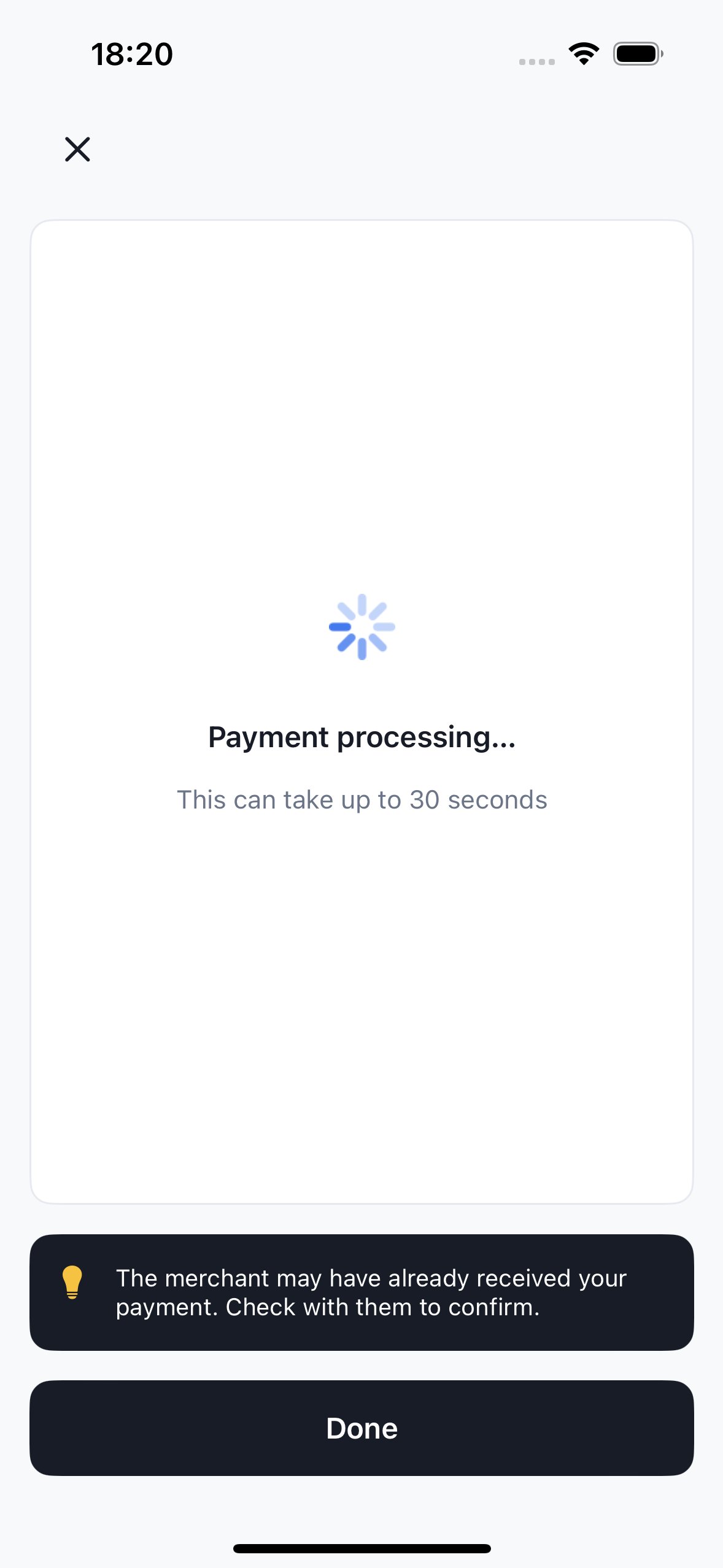
Merchant delivery is asynchronous. The sheet says so instead of spinning silently, and the user can safely leave.
- Per-user regulatory limits — Zennopay enforces corridor limits automatically (Vietnam: ₫5,000,000 per transaction, ₫10,000,000 per day, ₫25,000,000 per month per user) and the sheet renders the right copy.
- Corridor parsing and binding — the server checks the QR scheme, country, and currency against the corridor bound into the session. Philippines/QR Ph is not exposed by the current v1 API; Thailand is an API/parsing preview and Vietnam is implemented subject to account enablement.
-
The receipt surface — you keep your own transaction-history list, but you
never build the authoritative receipt view. When a user taps a past payment,
presentReceiptreopens the branded Zennopay receipt with its live status (pending, captured, failed, or refunded).
Sample app
The screenshots above come from the Zennopay sample wallet app — a reference integration that exercises the session endpoint contract and thepresentCheckout call against the sandbox. Ask your Zennopay
integration engineer for the sample project.